Best Camping Projectors for that Big Screen Cinema Experience

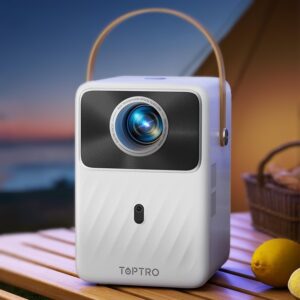


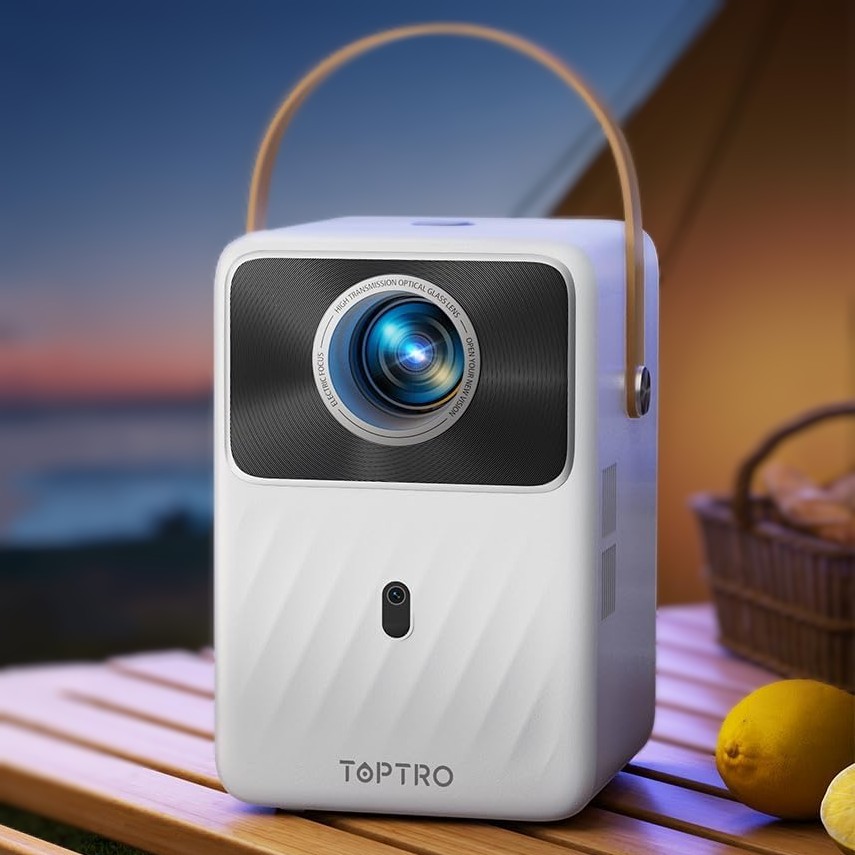 The Toptro Mini projector delivers great performance at a respectable price making it an excellent choice for camping trips. It’s our overall favourite portable projector on the market at time of writing.
The Toptro has native 1080p resolution (i.e. full-HD) for very crisp images and a built-in Android operating system. This offers the convenience of streaming your favorite shows without needing external devices like an Amazon firestick.
The Toptro can be connected to a Wi-Fi hot spot (e.g. from your smartphone) and then it’s simple to use apps like Netflix, Prime Video, and more. For added flexibility, it also supports playback from USB drives or devices like laptops, phones, or game consoles via HDMI.
Sharp Quality and Impressive Portability
In our view, the Toptro’s main competitor is the Nebula Capsule 3, which beats it on size, weight and arguably style but is more than double the price. While some might argue that you get what you pay for, we can’t help thinking that the Toptro is a real bargain for the specs and performance on offer.
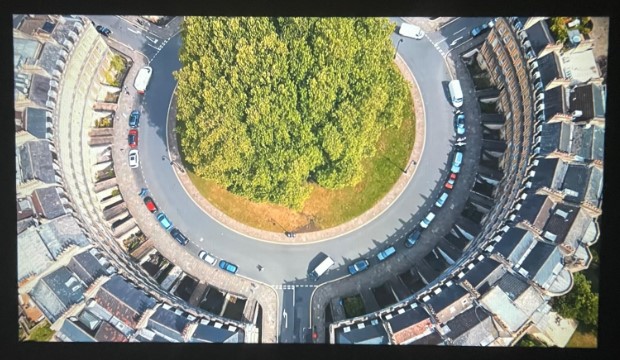
Even though it’s not as small as the Nebula, the Toptro remains compact and portable. Its thoughtful design includes a carry handle and a lightweight form factor, making it ideal for camping trips or travel. The picture from the Toptro is crisp and vivid and can expanded from about 30 inches up to an impressive 120 inches. Its brightness of 350 ANSI lumens is very good for the price.
That being said, you will find that the campervan or caravan lighting needs to be reasonably subdued to get the best picture contrast. This is not really a problem in a campervan or caravan where there are typically blinds and curtains to use.
Check out the projected picture below:
Compact Size for Camping
One of the standout features of the Toptro projector is its portability. The compact design measures approximately the size of a small handbag, and the projector only weighs 1.75kg which makes it easy to carry along with your camping gear. The practical carry handle enhances portability, and its sturdy build ensures it can withstand bumps during transport.
 Packed with Features
The Toptro 1080p projector is a feature-rich device. It includes a 20000mAh built-in rechargeable battery that provides up to 2.5 hours of playtime on a single charge – just enough for a full movie under the stars. The projector supports auto keystone correction, allowing it to adjust the image automatically in just three seconds.
With Wi-Fi and Bluetooth connectivity, the Toptro provides smooth streaming and easy pairing with external speakers or headphones. It also features multiple ports, including HDMI, USB, and a 3.5mm audio jack, offering seamless integration with a wide range of devices.
 Sound Quality
The Toptro projector includes a built-in speaker system but we would recommend using a separate Bluetooth speaker. The in-built sound is one of the few things we would criticize the Toptro for – it is slightly tinny and doesn’t fill a room particularly well. If good in-built sound is important to you then definitely go for the Nebula Capsule 3 over the Toptro.
Summary
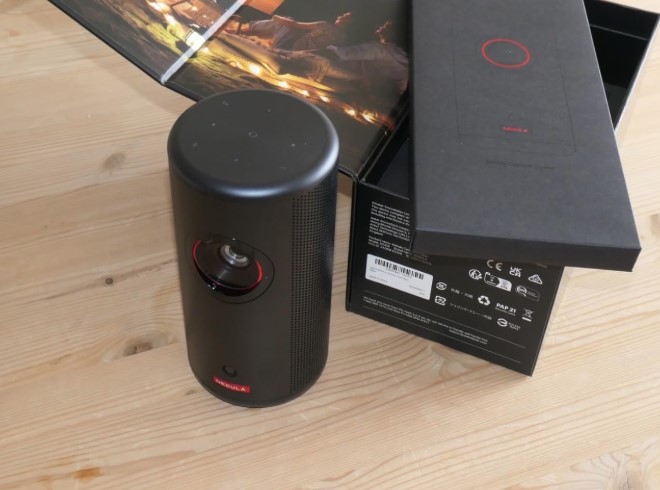
 The Nebula Capsule 3 Laser is an excellent quality projector (made by Anker) with superb sound, picture and features. However, it is definitely on the higher end price-wise. If you’re after an excellent projector and price is not a problem then we would say go for the Nebula 3 Laser, but if you’re including price in your weighing up then we think the Toptro Mini above pips it.
Please note that Anker also make a standard Nebula 3 which does not use laser technology (it is standard LED). This is still a good choice and is cheaper, but is much less bright.
Visual Performance
The Nebula Capsule 3 Laser offers native 1080p HD resolution, enhanced by a laser light engine that produces 300 lumens of brightness. This ensures vibrant, crystal-clear images that remain sharp even in challenging lighting conditions. The projection size ranges from 40 to 120 inches, making it ideal for versatile use, whether projecting onto a tent wall, a portable screen, or the ceiling of your campervan.
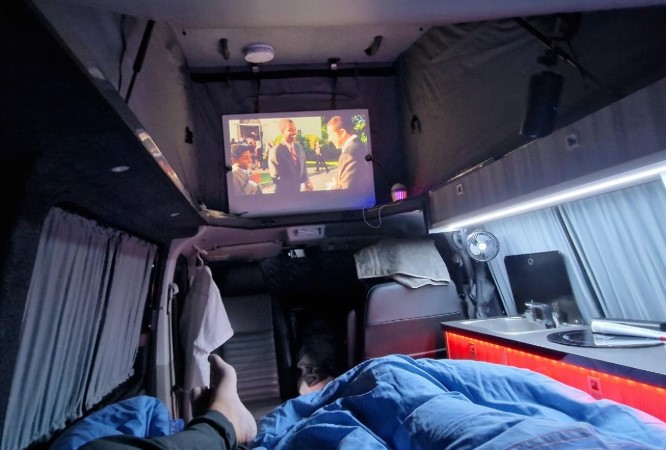
We found that the 300 lumens was enough to view the picture very well in our campervan, even with light coming in. However, like most portable projectors, it performs best in low-light conditions. For our use this is not a problem as we do most of our viewing in the evening when camping and it’s typically dark outside.
Portability That Fits the Camping Lifestyle
Weighing just 900 grams (~2 pounds) and measuring 3.3 x 3.3 x 6.7 inches, the Nebula Capsule 3 is incredibly portable. It’s much smaller than comparable projectors with similar brightness levels, making it a perfect travel companion.
The Capsule 3 Laser includes really hand automated set-up features like auto-focus, keystone correction, screen fit, and obstacle avoidance. We found that these features ensured quick and effortless setup, even on uneven surfaces like campervan walls or tent sides. We would definitely recommend a small tripod though for easy adjustment of the picture.
One thing we noticed with the Capsule 3 is that we did experience quite alot of refocusing if the projector moves at all during operation (e.g. from someone knocking the table). When this happens it takes around 5 seconds to get your movie back which can be a bit irritating – you can turn off the auto-refocus though if it’s a bother!
 Built for Long Viewing Sessions
The Capsule 3 Laser features a built-in rechargeable battery with up to 2.5 hours of playtime in ECO mode, ideal for watching a full-length movie. Additionally, it supports Power Delivery (PD) charging while watching, allowing you to use a power bank for extended playtime—a handy feature for those off-grid camping trips.
The Capsule 3 comes bundled with Google TV, which is pre-installed. We found that it was great for streaming apps like Netflix, Prime Video, and YouTube directly from the device using a WiFi hotspot. The built-in Google Assistant and Google Cast functionalities make navigation and content casting seamless, eliminating the need for external streaming devices. This is a major plus for those seeking minimal setup while traveling.
 Impressive Sound and Connectivity
The Nebula Capsule 3’s 8W Dolby Digital speaker fills the room (or tent) with crisp, immersive audio. Unlike some projectors with tinny or weak sound, the Capsule 3 delivers a rich audio experience. While it performs well on its own, Bluetooth connectivity allows pairing with external speakers or headphones for an enhanced experience.
The Nebula Capsule 3 Laser offers multiple connectivity options, including HDMI, USB-C, AUX, Bluetooth, and Wi-Fi. Whether you’re streaming from your favorite apps, connecting a laptop, or pairing with external audio devices, the projector provides seamless integration with a variety of gadgets.
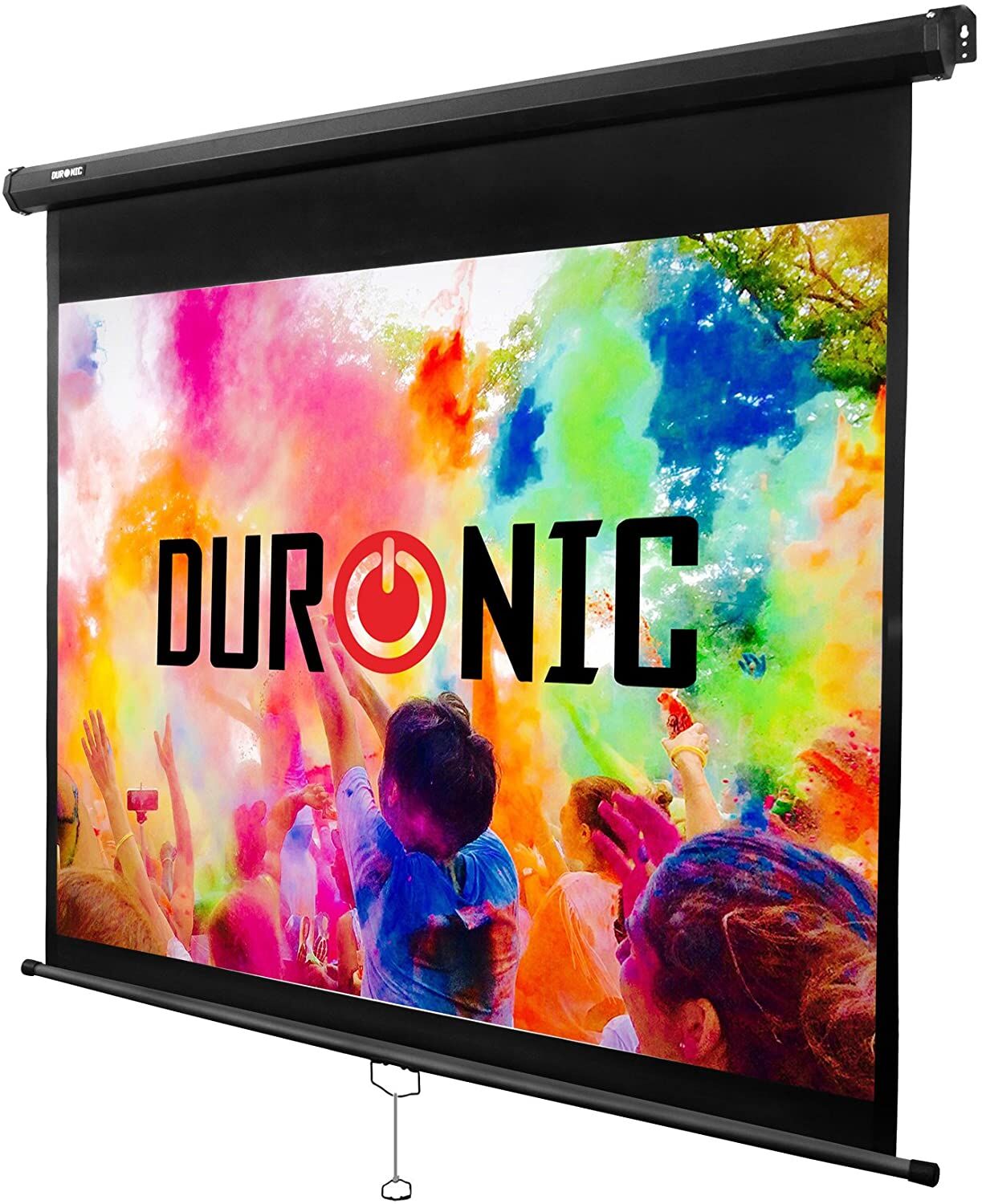 The mini projectors reviewed below were tested in a Mercedes Marco Polo campervan and an Eriba caravan under various lighting conditions, both with the interior lights on and off. We evaluated their performance projecting onto a dedicated screen, which delivers the best picture quality, as well as onto natural surfaces within the vehicles, such as the pop-top canvas. While using natural surfaces can be surprisingly effective and eliminates the need for a screen, it may result in some minor imperfections in the image
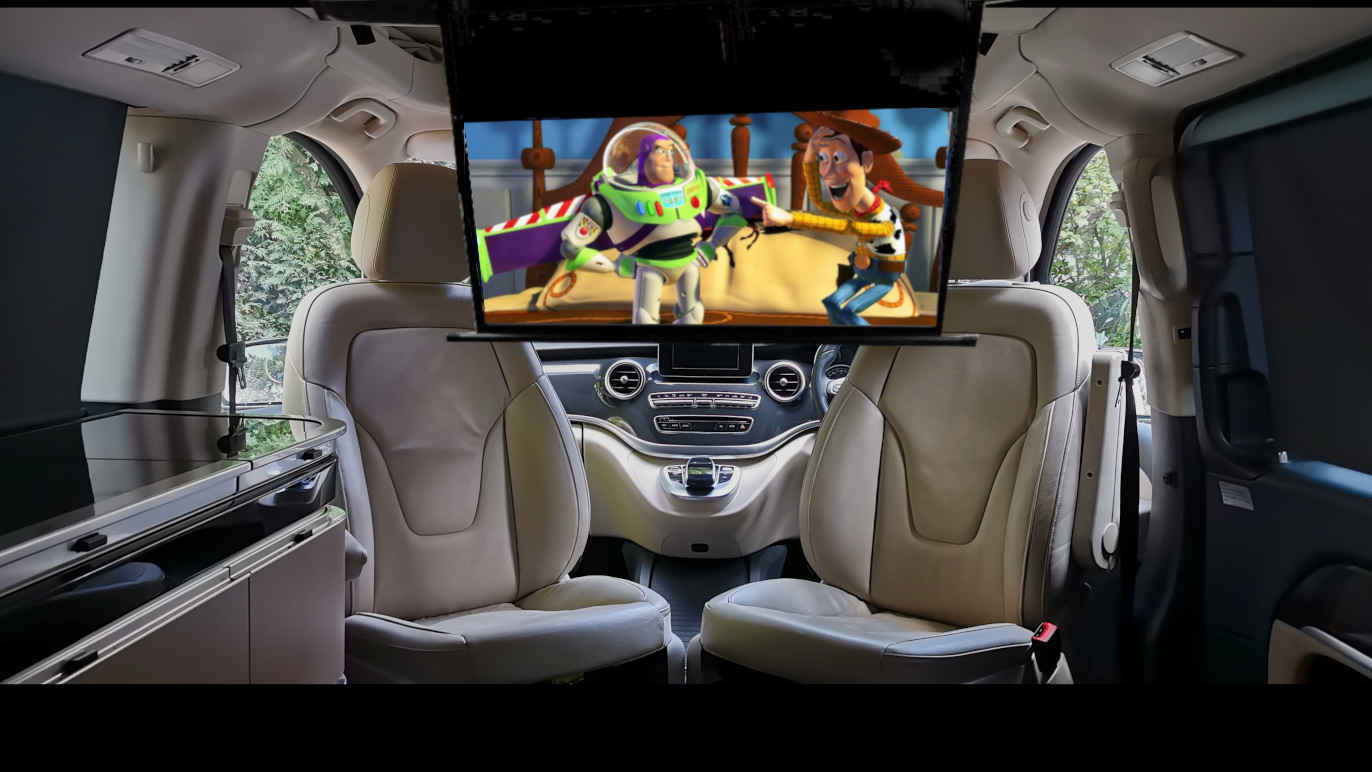
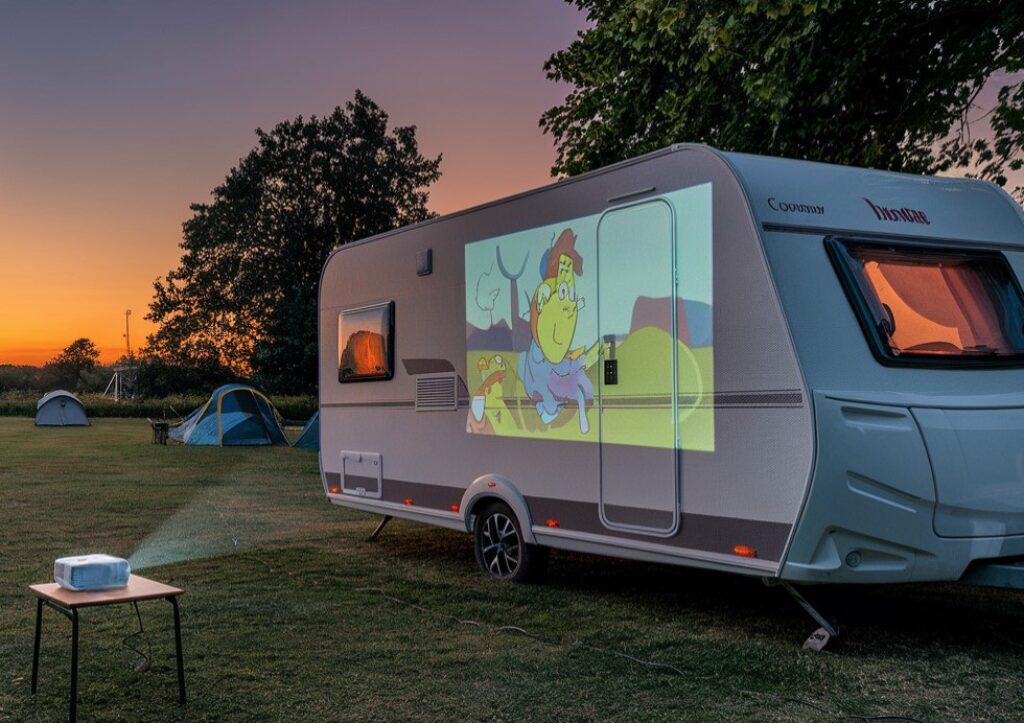
For hanging a screen in a campervan, we found that the space between the front seats (as shown in the title photo above) is a great option for viewing if you don’t have a pop-top canvas or a flat surface to project onto. You can even project onto the side of a white caravan quite easily, or even onto the wall of a tent – just be aware of your neighbours!
 Tripods
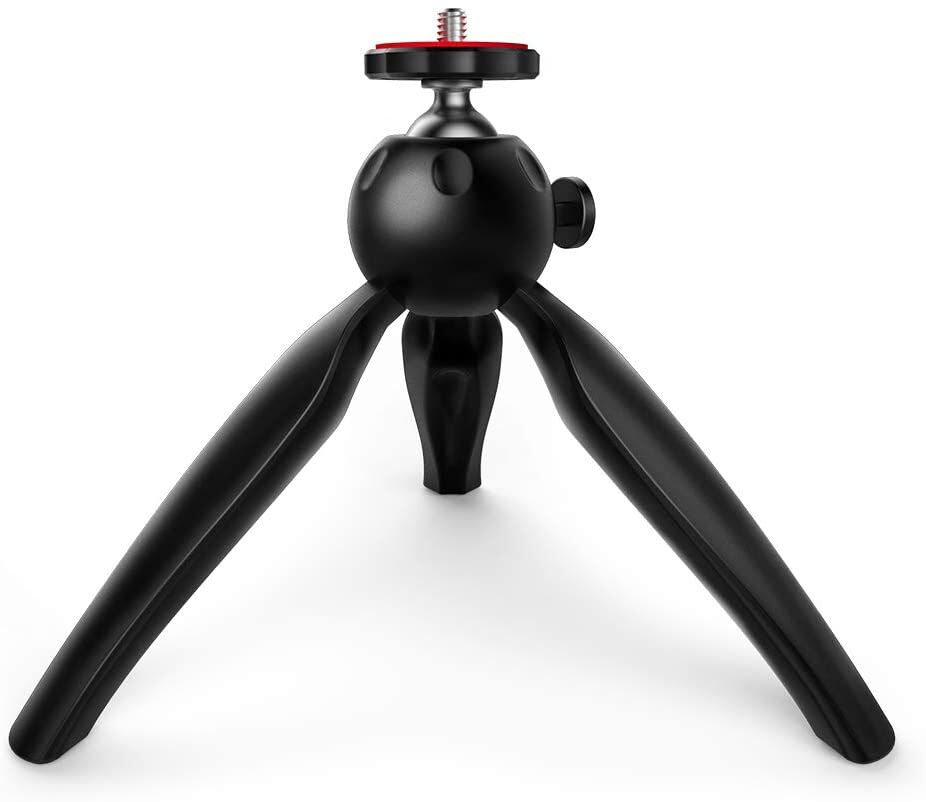
A tripod can be useful to fine-tune the orientation of your projector – some projectors come pre-supplied with a tripod, so check the specifications closely. All of the tested units were able to stand unassisted without a tripod, but it means you can only project out horizontally unless you prop up the projector somehow. This can be frustrating, so a tripod is a good investment – they don’t have to be expensive.
We recommend a small tripod like the Crosstour Mini. It won’t break the bank and it allows a wide range of orientations to be used. Make sure it is sturdy enough to hold up to 1 kg at a non-vertical angle though – some of the small plastic tripods will struggle with this.
Streaming with a Firestick
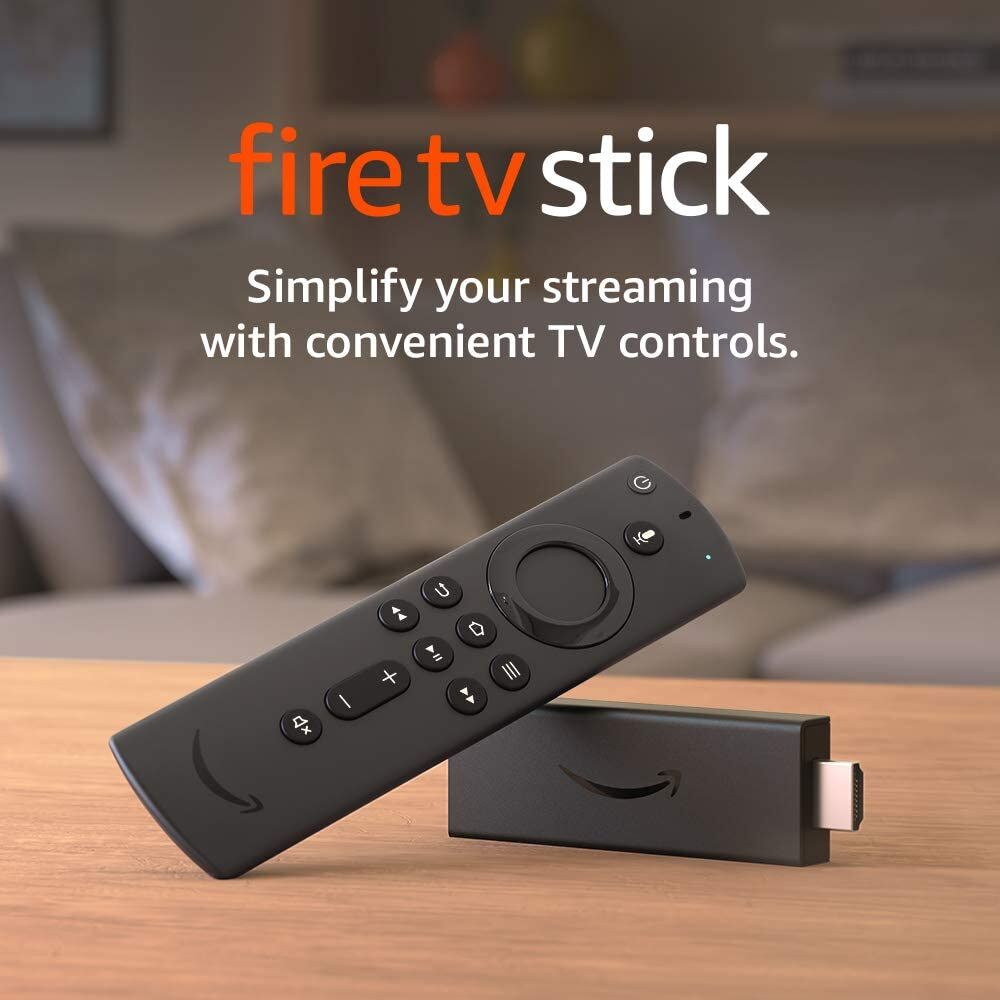 For the projectors without integrated Android TV (i.e. the cheaper ones!), we recommend buying a device like the Amazon Fire TV Stick which gives you streaming access to a wide-range of TV and apps for not a lot of money. They’re very small, come with a remote control and have an HDMI connector which means it will connect directly to all the projectors on test.
So let’s take a look at some of the best mini-projectors we found for Campsite Cinema entertainment.
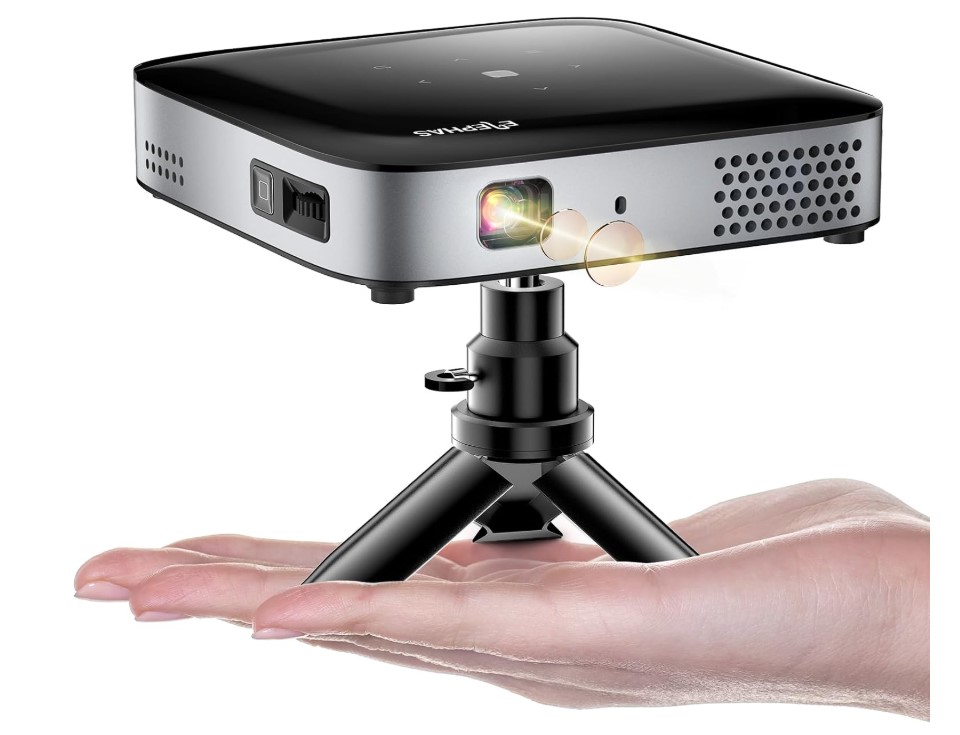 If picture resolution is a key priority while maintaining value for money, the Elephas DLP-1 projector is an excellent choice. This projector, priced similarly to others in its category, offers enhanced 1080p native resolution with full-HD quality and a brightness of 500 ANSI lumens. Yes you read that right – this has excellent specifications for not much money. It really pushes our best buy the Toptro Mini hard for the top spot, but loses out due to lack of onboard apps – you need to use a separate Fire-Stick in the HDMI port or cast your phone to the projector.
The dimensions of the Elephas are 5.9 x 3.9 x 0.9 inches and its weight of 1.2kg make it highly portable. Additionally, it features WiFi and Bluetooth capabilities for casting and connection to a bluetooth loudspeaker.
Battery or AC power – the choice is yours!
The projector features a sleek, portable design with a quality casing and minimalist controls, making it suitable for both home and outdoor use. It easily blends into any setting, whether in your living room or campervan.
With a built-in 7000mAh rechargeable battery, the Elephas DLP-1 provides up to 2.5 hours of playtime on a single charge. This is sufficient for most movies, though not for exceptionally long films like Once Upon A Time In America. Additionally, it supports charging with a power bank, offering flexibility for use even without access to an outlet.
A remote control is provided, allowing you to navigate settings and switch between sources. The single HDMI port is adequate for camping, though home users might find it limiting. Additionally, the USB port supports media playback from USB drives.
Picture and Sound Quality
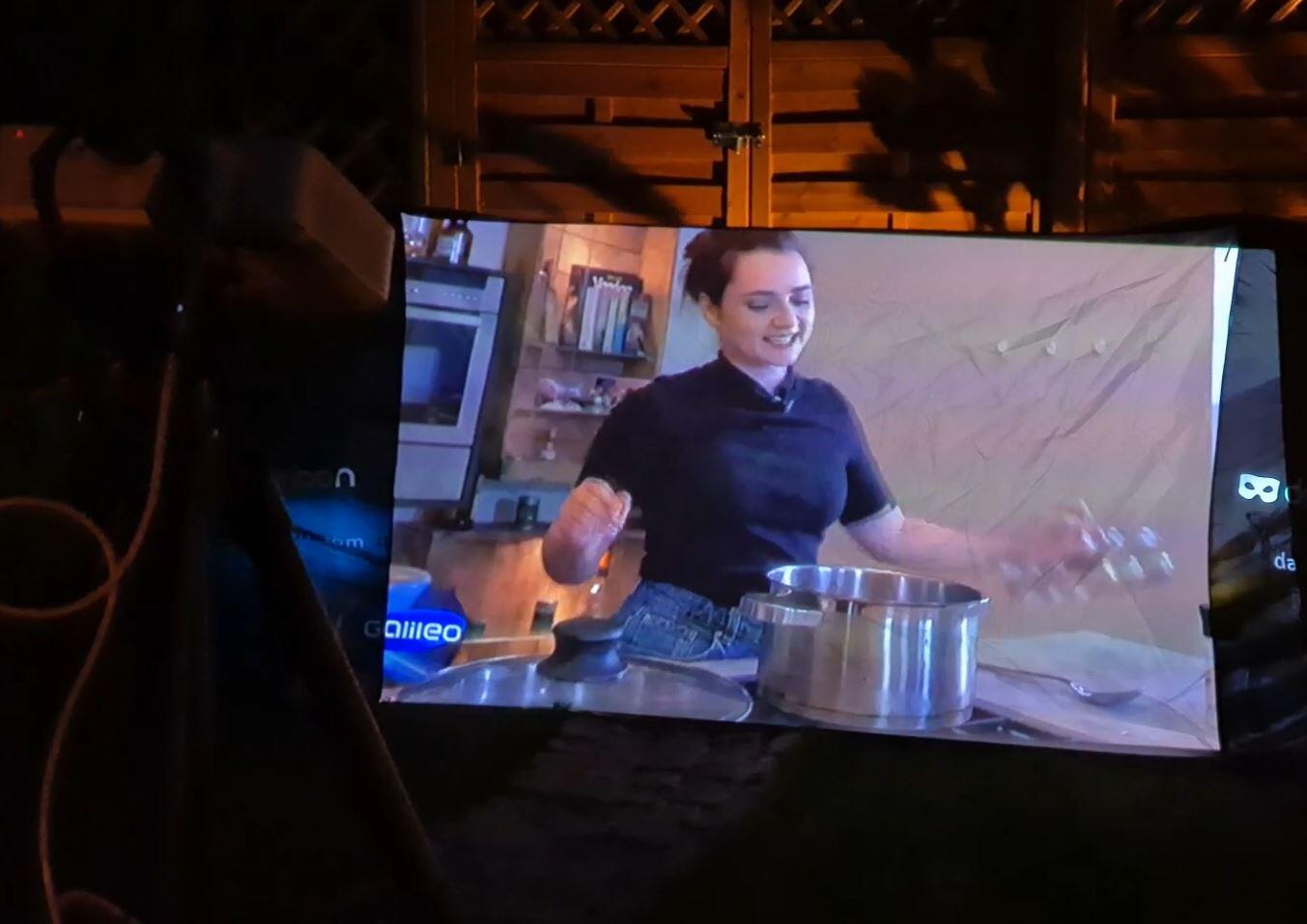 The picture quality from the Elephas DLP-1 is impressive, with screen sizes up to 150 inches before pixelation becomes noticeable. The brightness of 500 ANSI lumens ensures a clear image in low-light environments, perfect for outdoor setups.
Automatic vertical keystone correction of ±45° ensures the image remains clear and properly aligned even when projected at an angle. Focus adjustments are manual, using a control on the unit. Screen size is adjusted by moving the projector closer or farther from the projection surface.
The built-in speakers deliver decent sound quality, but for a better audio experience, you can use the 3.5mm audio jack or Bluetooth to connect to an external speaker or soundbar.
Overall, the Elephas DLP-1 projector impresses with its high-quality picture, portability, and full HD resolution at a very competitive price. The advanced WiFi and Bluetooth capabilities, along with its compact design, make it a fantastic option for both home and outdoor movie nights. With a simple setup and excellent value for money, it’s hard to ask for more in a portable projector.
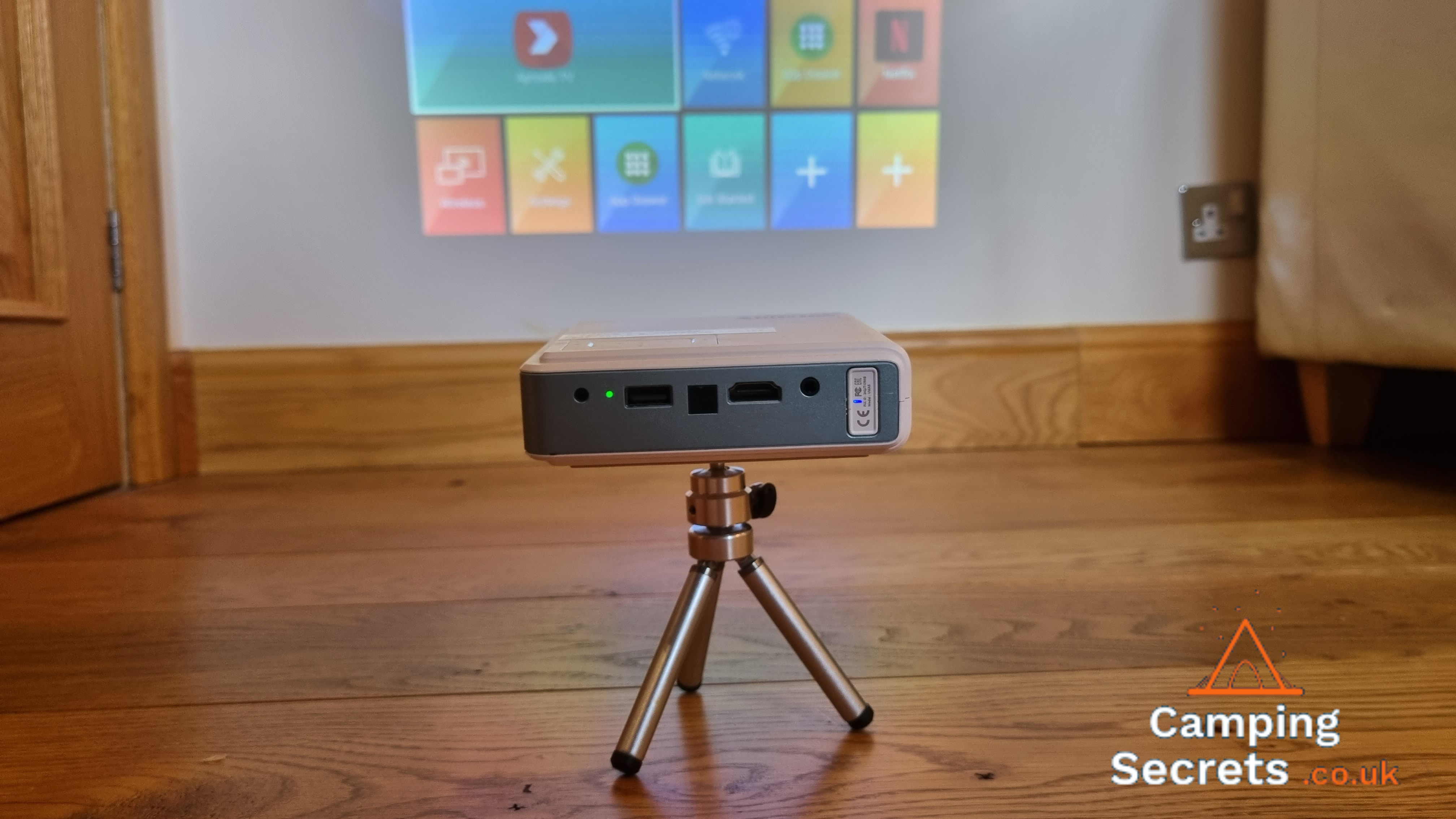
If the size of a projector is your main priority then look no further than the EZCast Beam J4a. It’s an extremely compact projector, and decent value for what you get in terms of features. Check out our full review of the Beam J4a here.
Dimensions and Features
Measuring only 11.5 x 11.5 x 3.2 cm, the Beam J4a projector weighs only 400g and yet still pumps out an impressive 300 lumens from its DLP system (Digital Light Processor). Perfect for campervans.
 The in-built rechargeable battery is bigger than expected to – the EZCast can last up to 4 hours of continuous use in ECO mode (running reduced brightness). However, we found that you can still watch an entire movie at the full 300 lumens. This is bright enough to use with some daylight in the room.
Underneath the projector is a tripod mount, as well as a little kick stand to angle up the image on to a screen or surface. We found it worked really well projecting onto a screen or even a white roller blind.
Focusing and keystoning are manual operations with the Beam J4a, and the native resolution is only 480p. The resolution is probably the biggest downside of the projector, but it is still pretty watchable. If you want higher resolution then for sure look elsewhere.
In terms of connectivity there is a USB-A socket to attach a keyboard, an HDMI input socket for connecting external display hardware (DVD player, PC etc) and an audio output socket. For control, a Bluetooth remote is supplied which works well.
 EZCast also supply a nice little metal tripod with the projector, although it can be tricky to balance and you may prefer something more rugged.
Check out our video review of the EZCast J4a below.
In-built Android 10
The software is where the EZCast Beam J4a comes into its own. After you power up the projector, you’re confronted with a wide range of apps and settings. Simply connect the J4a to a WiFi network (this could come from a phone hotspot or campsite network) and then use the in-built apps to stream TV shows and movies. You can download Netflix, BBCiPlayer etc onto the device itself and then use the remote control to flick through and start playing.
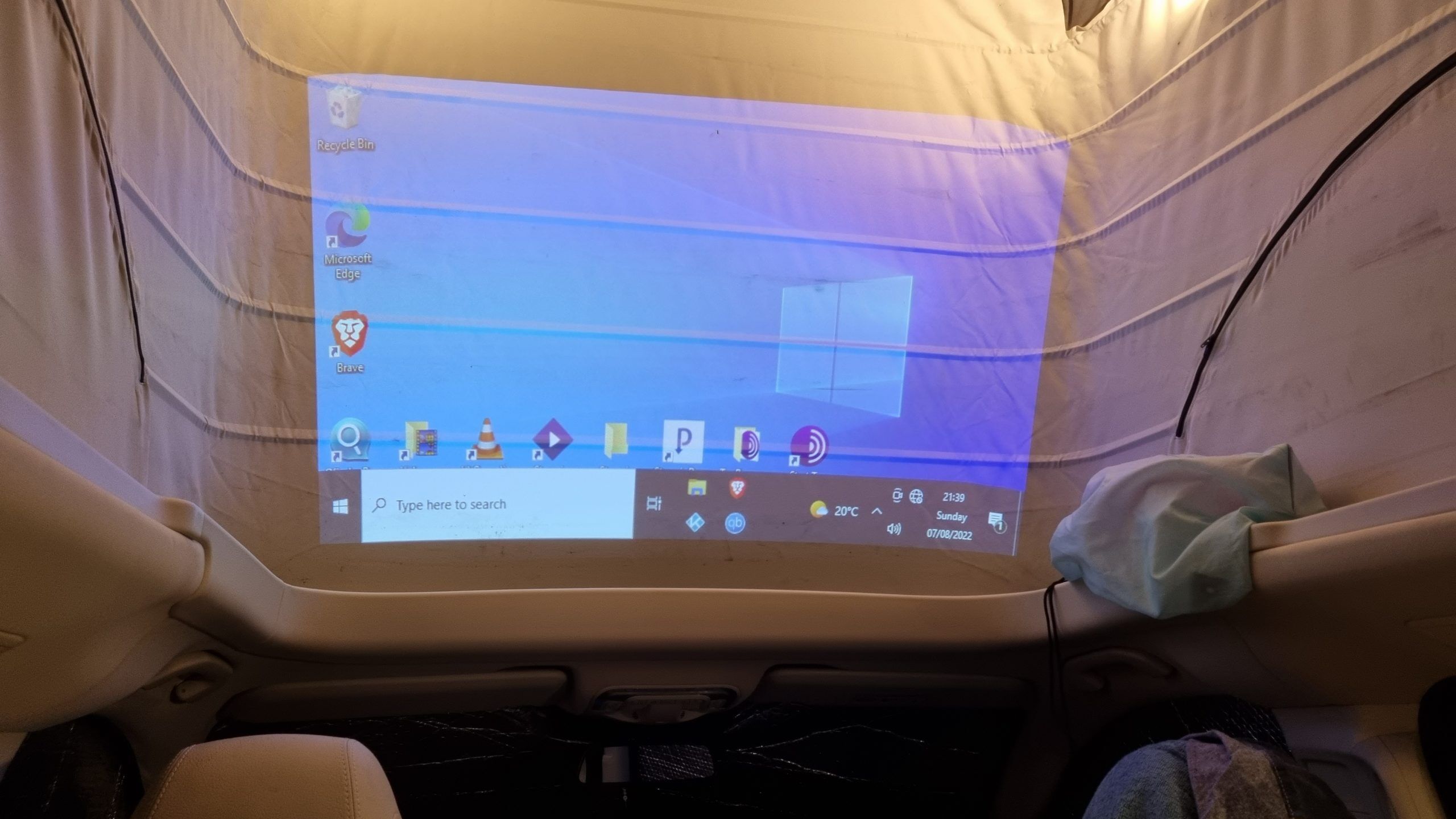 Another option is to attach a games machine (XBox, PS5 etc) to the projector using the HDMI port. We connected a micro-PC and were able to use Windows in our campervan.
In Use
So what’s it like to use the Beam J4a? Well pretty effortless really. The picture was surprisingly good, and I really didn’t miss the HD resolution which you can get with more expensive Android projectors (see the Nebula and XGimi options below). I don’t know if this is because of my eyesight or just because I’m often not projecting on to a dedicated screen – in the campervan I often just use an upturned table or the poptop canvas as shown above.
The EZCast Beam J4a is definitely one of the most compact camping projectors on the market, and is certainly worth considering if high resolution is not a priority for you.
Xuanpad M03H – Budget 1080p Projector
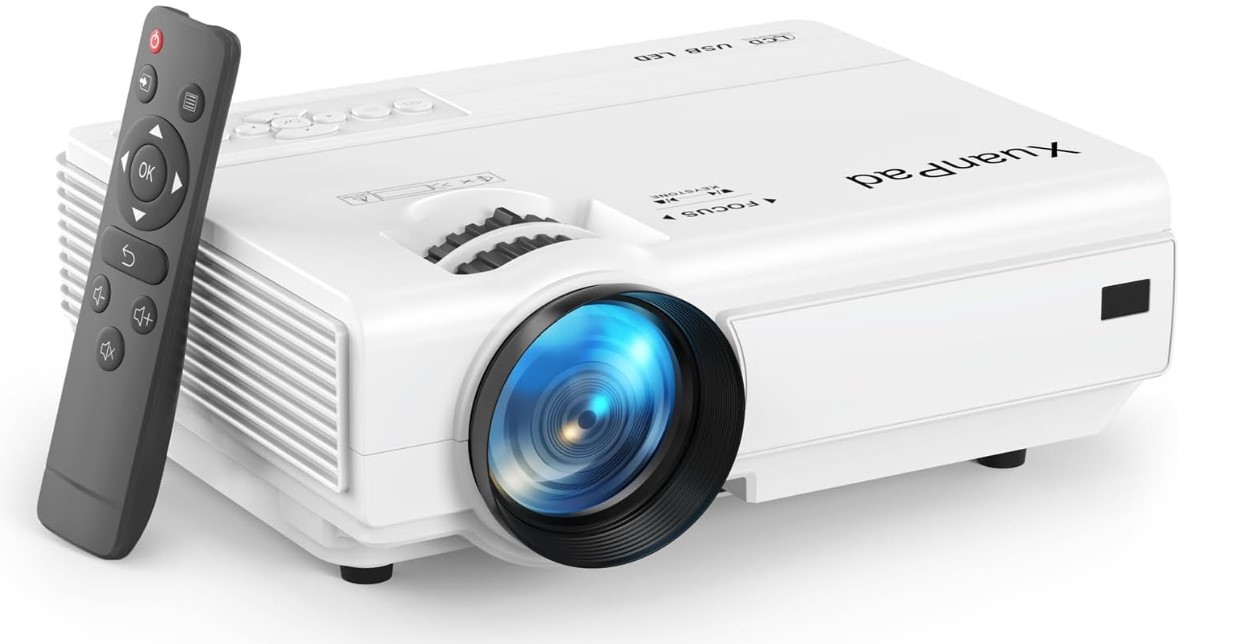 If you’re in the market for an entry-level projector that combines solid performance with user-friendly features, the XuanPad M03H is a strong contender. Having used this projector for a while, I can confidently say it delivers great value for its price.
Let’s get the negative points out of the way first.
- It’s on the largish size, measuring 21.2 x 15.8 x 7.5 cm – however, that’s not actually too outrageous if you have the storage space for it.
- There is no internal battery – the M03H only runs off AC power, but if you have mains power at your campsite then this isn’t a problem. However you do lose a bit of portability and flexibility.
Delivery and Build Quality
The projector arrived on time and in perfect condition from Amazon. Upon unboxing, I was immediately impressed by its build quality. The XuanPad M03H is constructed from sturdy white plastic and features robust black dials for adjusting focus and pitch. It feels solid and well-made, which adds to its reliability.
Included Accessories and Connectivity
The package included most of the necessary connector leads, such as an HDMI and an RCA cable. The projector boasts a wide range of ports, including HDMI, USB, AV, and a 3.5mm audio jack, making it compatible with various devices like laptops, PCs, TV boxes, Roku, and gaming consoles. I used it with an Amazon Firestick and was easily able to get Netflix and Prime working.
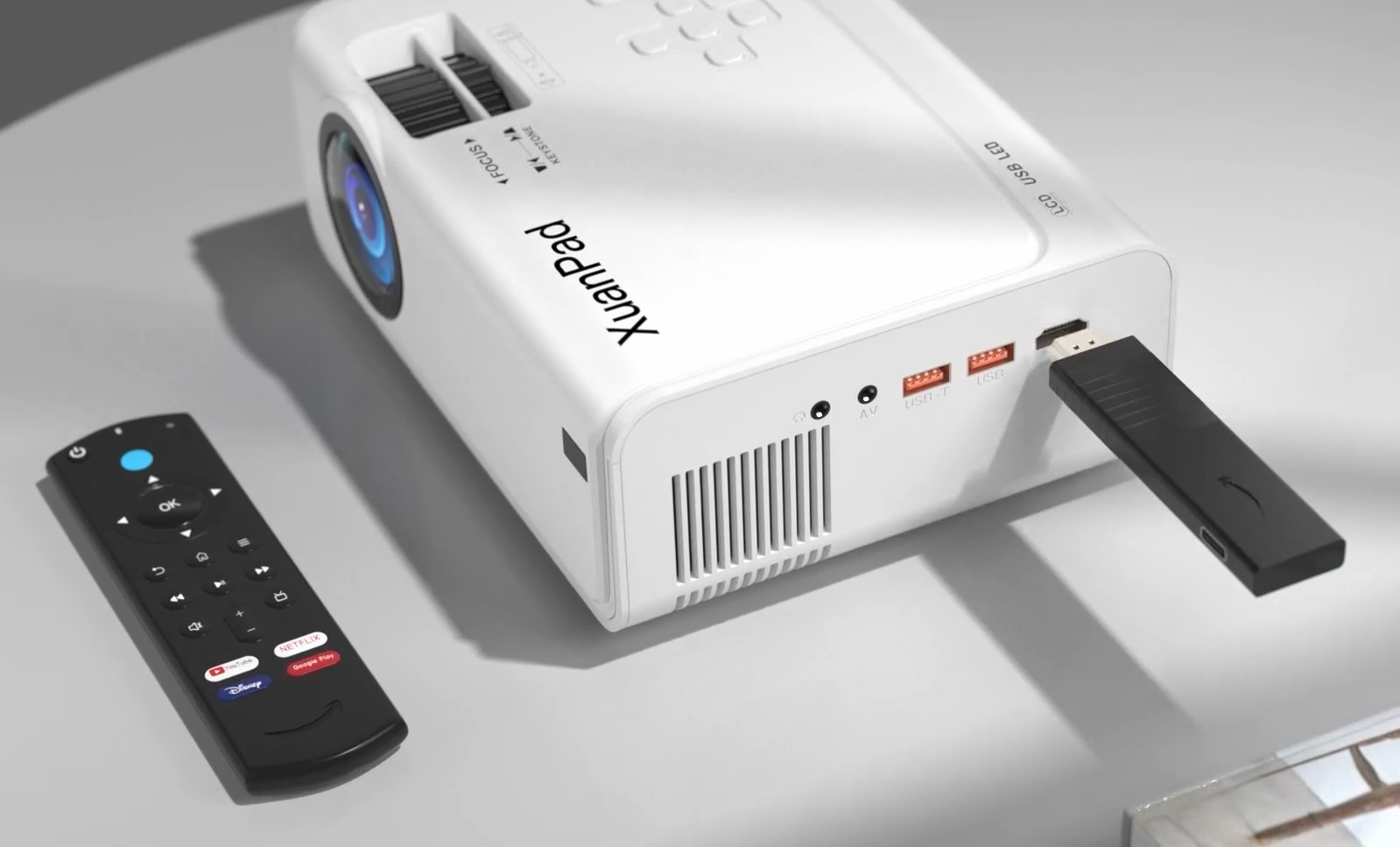 For this pricepoint, be aware that you are very unlikely to get Android TV or similar on a projector. The XuanPad is no exception – you need to stream from elsewhere.
Ease of Use
I found the XuanPad M03H incredibly easy to use. The user interface is intuitive, and the remote control is straightforward. Adjusting the focal length manually is a breeze, allowing for a sharp image, and the digital settings for picture quality, such as color saturation and contrast, are easy to tweak.
Picture Quality
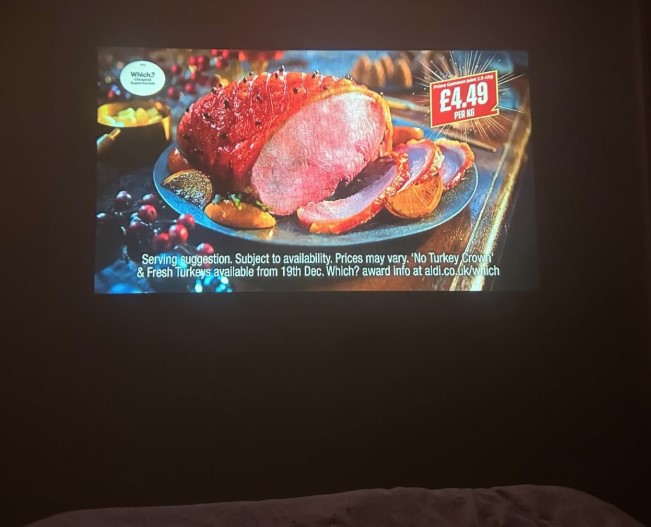
One of my initial concerns was the picture quality, especially after reading a few negative reviews. However, I was pleasantly surprised. The native 1080P Full HD resolution, coupled with a contrast ratio of 10,000:1, delivers a crisp and vibrant image. The image is fairly bright but please ignore the 16000 lumens in the description – this has no relevance to the brightness on the screen. Even with the lights on, the picture remains sharp with good saturation. At a close distance of about 1 meter, you get a clear 40-inch display. Moving the projector back to around 2 meters, the screen size increases to over 90 inches, providing a great cinematic experience. While saturation does decrease slightly at this distance, turning off the lights restores the brightness and vividness.
Projection Adjustments and Setup
The projector includes features like 6D/4P keystone correction and a zoom function, which allow for flexible image adjustments. To achieve the best picture quality, I recommend using a tripod or stand to position the projector at the right height. The underside of the projector has a threaded mount for attaching a tripod. Proper positioning helps avoid excessive pitch adjustments, which can distort the image into a rhomboid shape. Once set up correctly, the screen appears perfectly rectangular.
Audio and Fan Noise
Some users have mentioned fan noise, and it is definitely noticeable if you have good hearing. Personally, it’s not a massive issue for me but I’m a 50yr old male and my hearing is probably degrading rapidly! With the built-in speakers, which offer decent sound quality, the fan noise is barely noticeable. For a more immersive audio experience, the projector’s Bluetooth 5.1 capability allows you to connect external speakers easily. Then you cannot hear the fan at all unless you’re sat right by the projector.
Overall Impressions
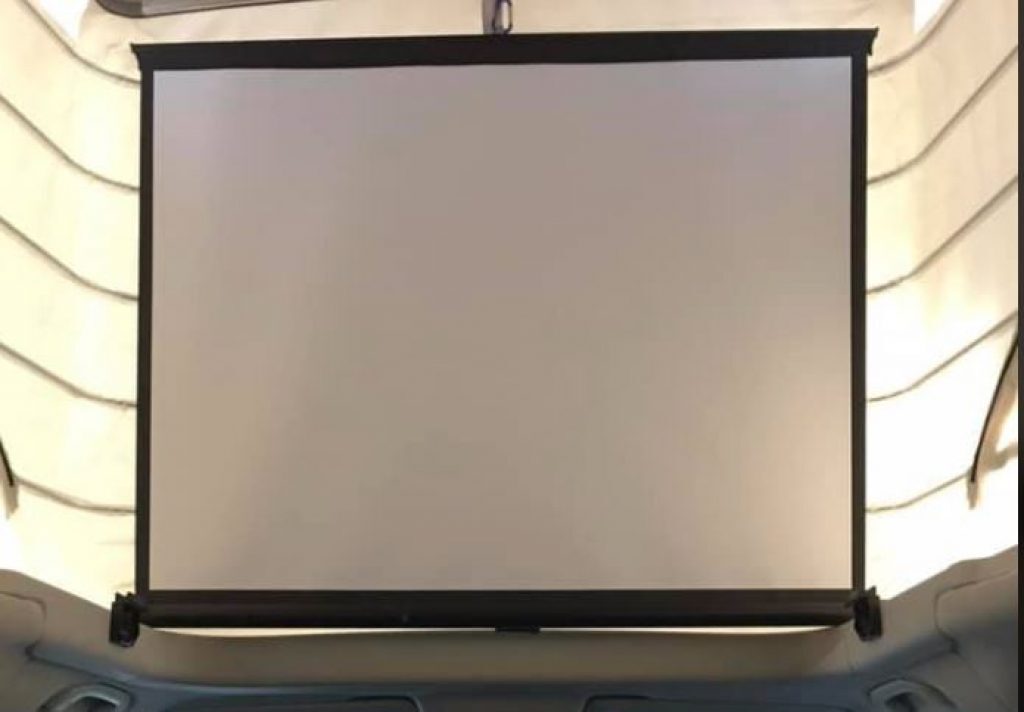
Given its price, I didn’t have high expectations, but the XuanPad M03H exceeded them. It’s an excellent choice for those new to projectors, offering great picture quality, ease of use, and a solid build. Not to mention that it comes with a screen and tripod included! I highly recommend it to anyone looking for an affordable and reliable projector, albeit with the limitations described above.
Einyoumily Mini
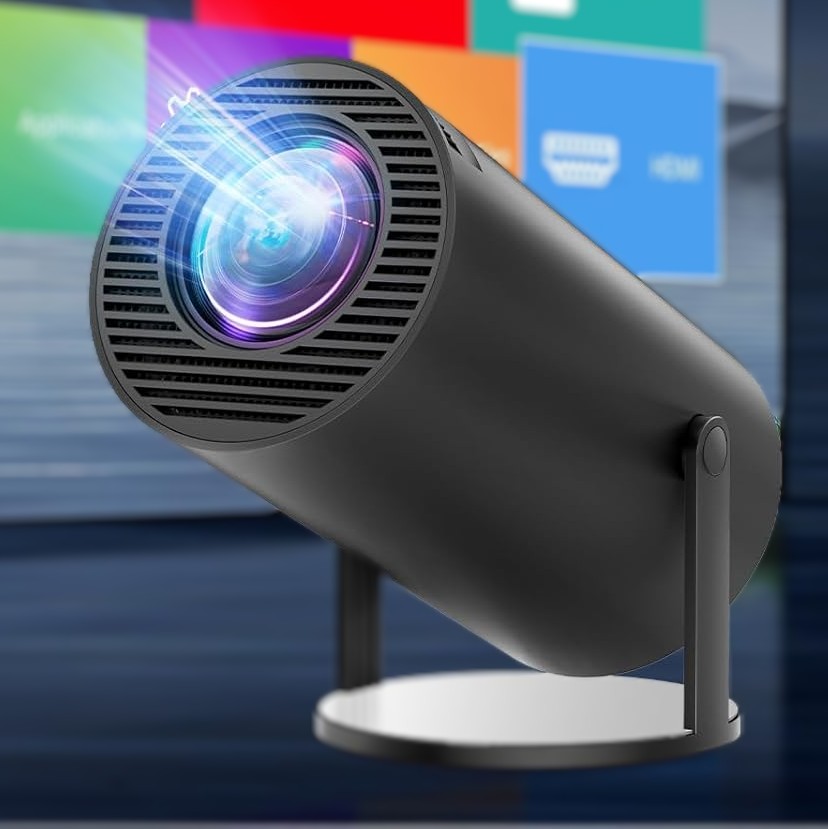 I recently purchased the Einyoumily Mini Projector as it has received excellent reviews, and for the money I’m really impressed with its performance. It gives a great picture for less than £100 – bargain!
Dimensions and Design
The projector is small and portable, measuring 19.9 x 16 x 12.1 cm and weighing just 800 g. It’s easy to carry around, making it ideal for travel or moving it between rooms. I’ve taken it on holiday without any hassle, and its size ensures it doesn’t take up much space.
Bear in mind that the Einyoumily Mini does not have a built in battery and will only run off mains power – this may or may not be a problem for you when camping, so buy accordingly.
Picture Quality
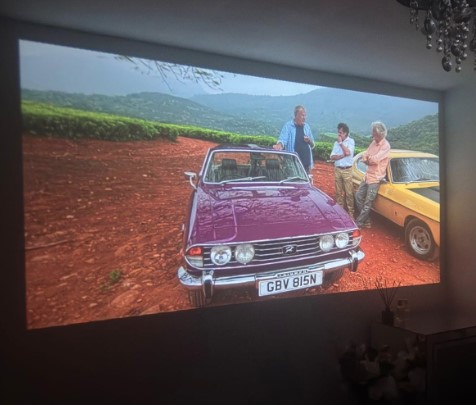 For such a small projector, the picture quality is outstanding. The 1080P native resolution delivers vibrant, sharp images, and the colors pop, especially when projected onto a smooth surface. I’ve used it in both dark and moderately lit rooms, and it performs best in darker settings, although it’s still usable with some ambient light. The ±45° auto keystone correction is a huge plus — it automatically adjusts the image to fit the screen, whether you’re projecting on a wall or the ceiling. This feature saves time and ensures the image is always perfectly aligned.
Sound and Connectivity
The 3W Hi-Fi speaker produces good audio for a device of this size. However, I appreciate that I can also connect it via Bluetooth 5.2 to external speakers for better sound. The projector is equipped with Wi-Fi 6, ensuring a smooth connection to apps and streaming services like Netflix, Prime Video, and Disney+.
Incredibly for the money this projector has the Android 11 operating system included which provides easy access to a wide variety of apps. This is great for streaming content directly from the projector without needing an external device.
 Versatility
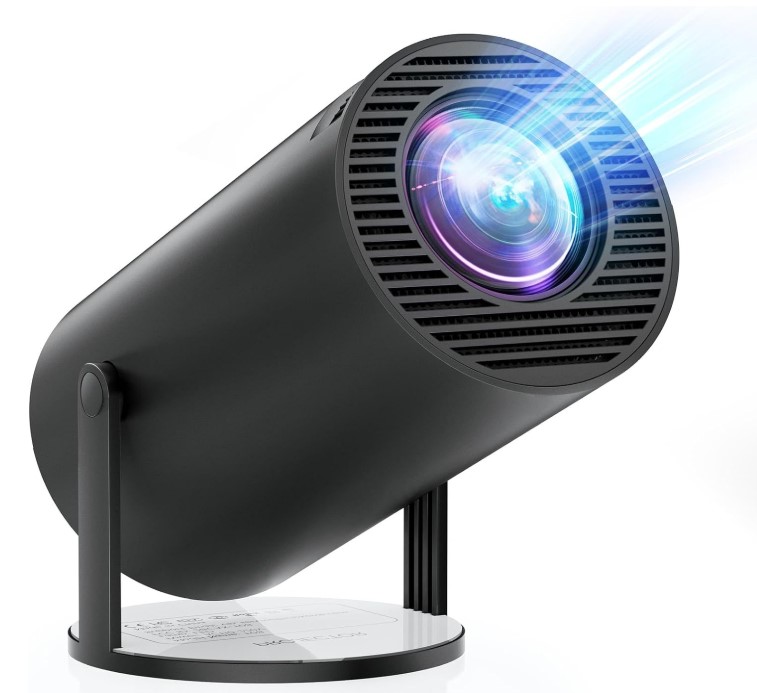
One of the features I love is the 180° rotatable projection, which allows me to project onto walls, ceilings, or even the floor. This flexibility makes it easy to set up in any room, and the dual USB and HDMI ports allow me to connect external devices like a Firestick or gaming console. I’ve been using it for movie nights and gaming sessions, and it’s been fantastic.
Value for Money
Considering its price and the features it offers, I think this projector is excellent value for money. It’s affordable, yet it delivers solid performance for both casual entertainment and work purposes. Whether you’re using it for movies, presentations, or gaming, this mini projector holds up well.
Overall Thoughts
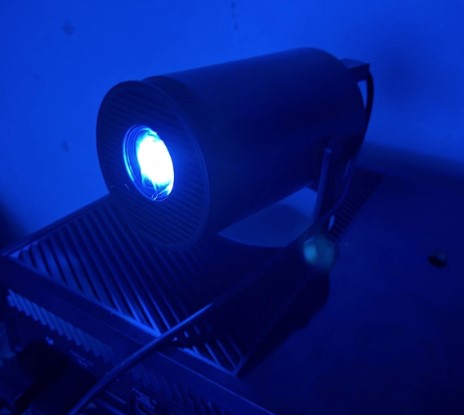 In summary, the Einyoumily Mini Projector is a compact, versatile, and high-performing device. Its combination of 1080P resolution, auto keystone correction, Android 11, and Wi-Fi 6 connectivity make it stand out in its category. I’ve been using it daily, and I’m extremely satisfied with its performance. If you’re looking for a portable projector that’s easy to set up and offers great picture and sound quality, I highly recommend this one. It’s definitely exceeded my expectations.